Work stays local.
Control stays with you.
Cowork works with files, conversations and tasks on your own computer, without hosting your work in a Cowork cloud. Put AI to work on documents, code and everyday tasks, then stay connected from your phone.
Free for macOS and Windows. Also available on the App Store for iPhone and iPad.
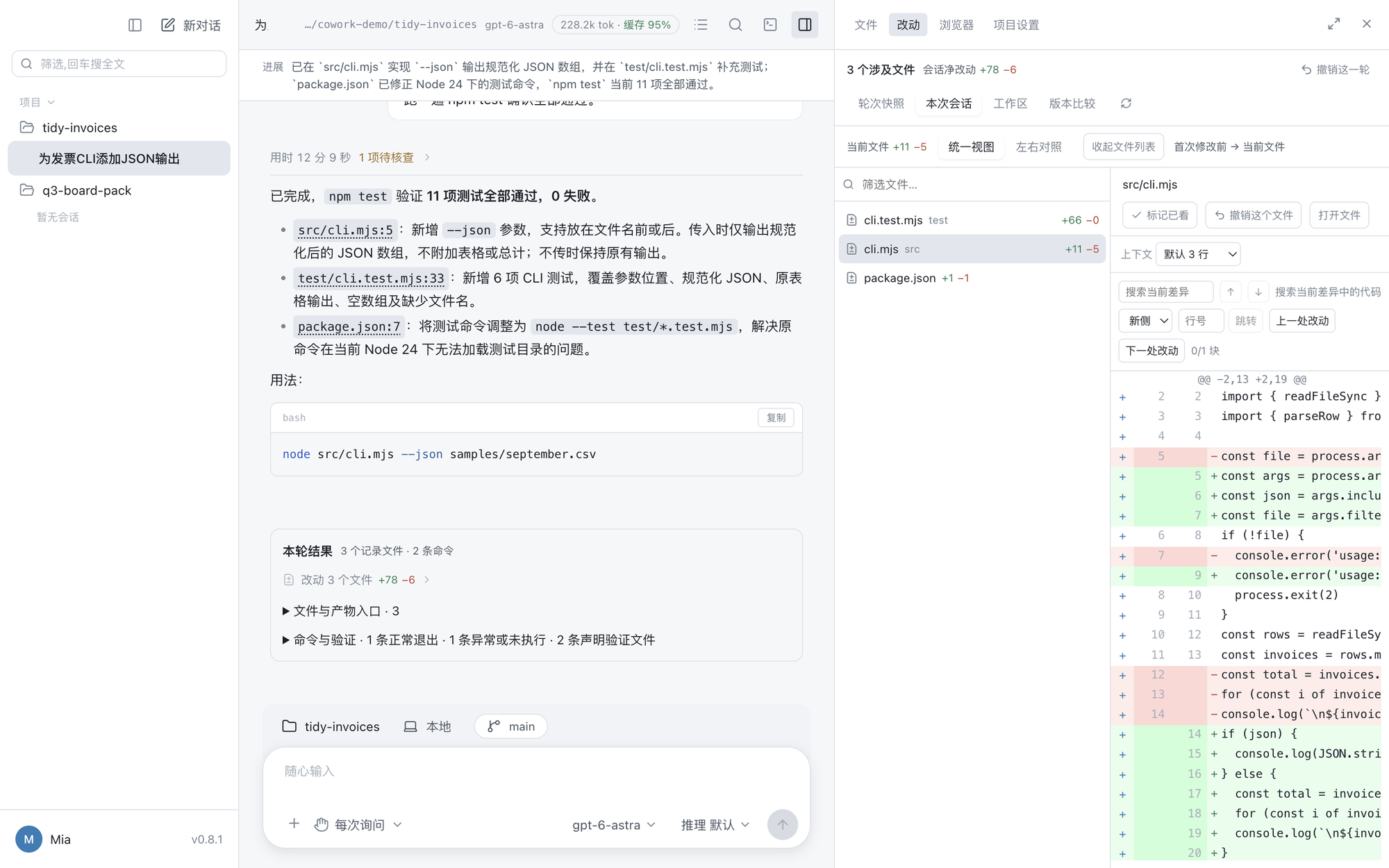
Your computer is where the work lives.
Conversations, project files and work history are stored locally. Cowork does not provide cloud storage for your sessions or files. You choose the model services and tools that receive content when a task needs them.
Stored on your computer
Work directly in your own folders. Read results, inspect changes and keep the files you create on your computer.
Choose where AI runs
Use a local model for local inference. If you choose a cloud model or an online tool, it receives the content needed for that request under its own policy.
Access you can control
Pair a phone explicitly, then decide which projects it can access and what it may do. Device access can be revoked from the computer.
Updates, downloads and website visits involve connection metadata. Desktop update checks also send a random installation identifier and app version, without conversation or file content. Read the privacy policy
Reads the repository, makes the change, runs the tests.
A file tree, a built-in editor, a terminal, git, worktrees, and a diff of everything it touched. It works the way a coding agent does, with the project open beside the conversation.
Reads the files you already have, hands back finished ones.
Reports, workbooks, and decks are read and written as real Office files, with no Office install. Older binary formats are read too, and PDFs, CSVs, and images open in the same viewer.
Keep your desktop work close.
Continue conversations, follow tasks, handle approvals and read authorized files from your phone or tablet. Your computer keeps running the tasks; the app gives you a way to stay involved.
Encrypted from phone to computer
TLS encryption and certificate verification protect the connection to your paired computer. With a configured relay, conversation and file contents remain inside that encrypted connection; the relay forwards ciphertext.
- Pair first. Grant access on the computer. Revoke it when needed.
- Connect over your local network or a relay you or your administrator configure.
- Review sharing before sending new task content; withdraw permission in Settings.
Available on the App Store · iOS / iPadOS 16.4+
Requires a compatible computer, configured model service and device pairing. Keep the computer awake and online. Relay access requires iOS/iPadOS 17 or later; relay operators can observe connection metadata.
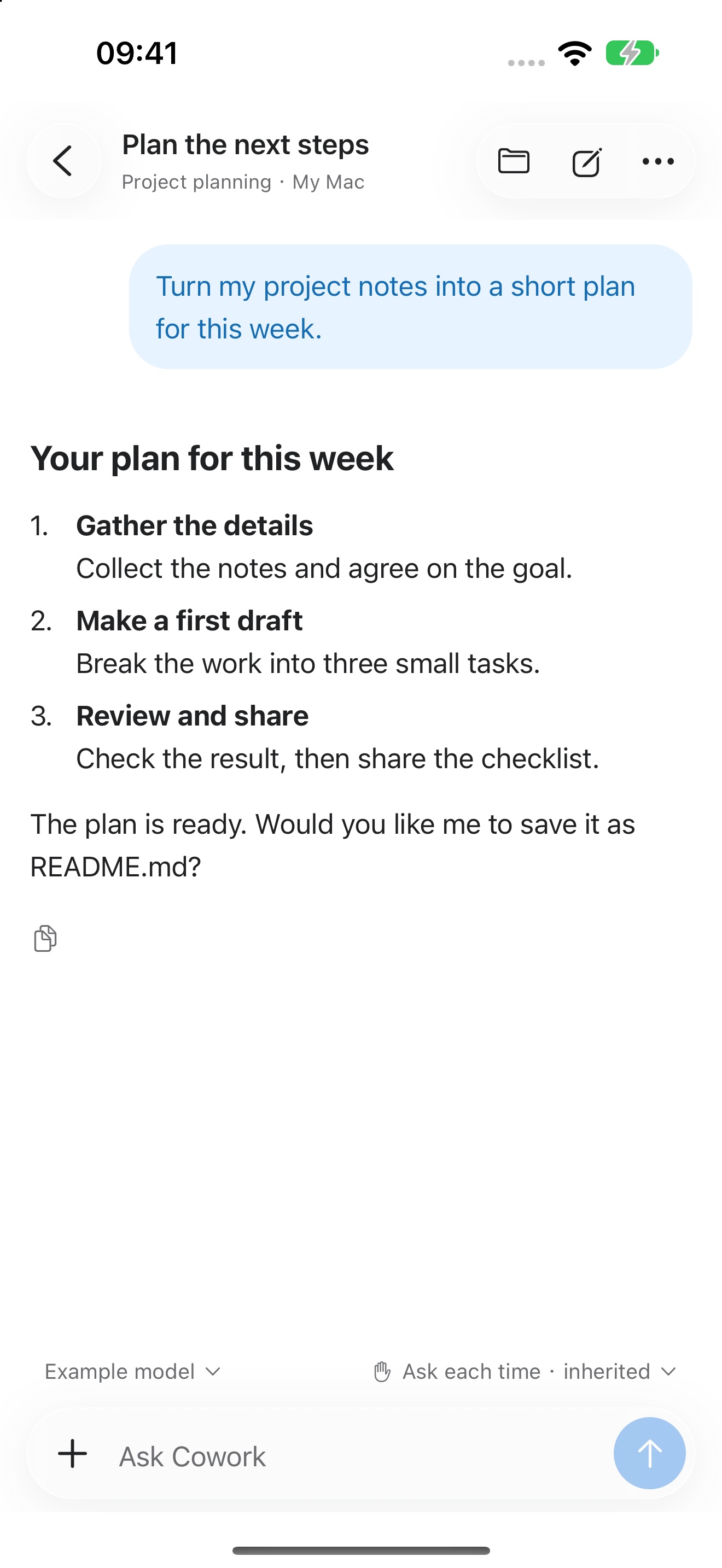
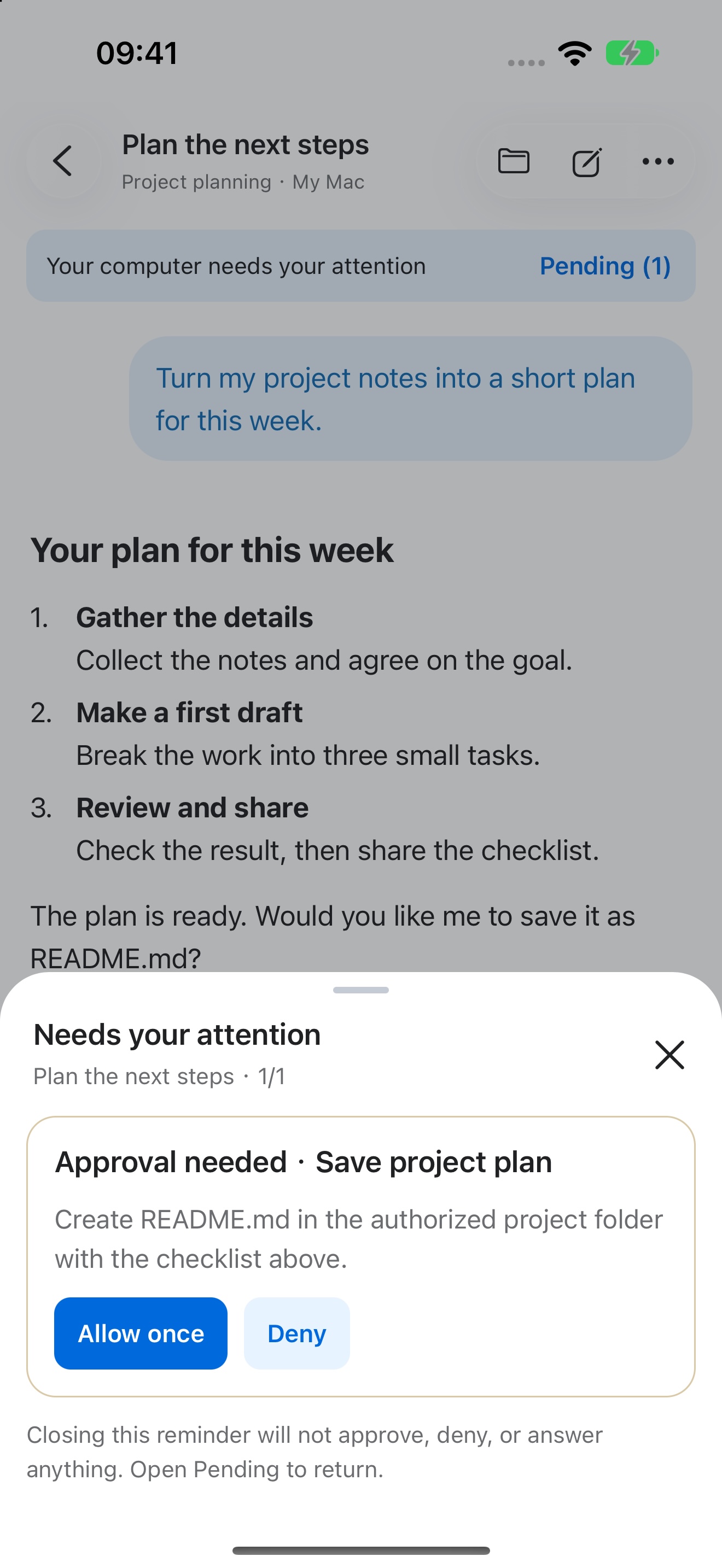
It acts. You approve.
Every write, command, and external tool call is risk-classified and gated. You decide at the moment that carries information, and what you grant stays visible and revocable.

The project, open beside the conversation.
A file tree with git status, tabs, and a full editor sit in the side panel, and the panel expands to the whole window when you want to read. A file the agent mentions is a link: click it and it opens at that line.
- File tree with search, git markers, and open-with for your own editor
- Built-in editor with find, replace, folding, and conflict-safe saving
- Mentions like src/cli.mjs:42 jump straight to the line
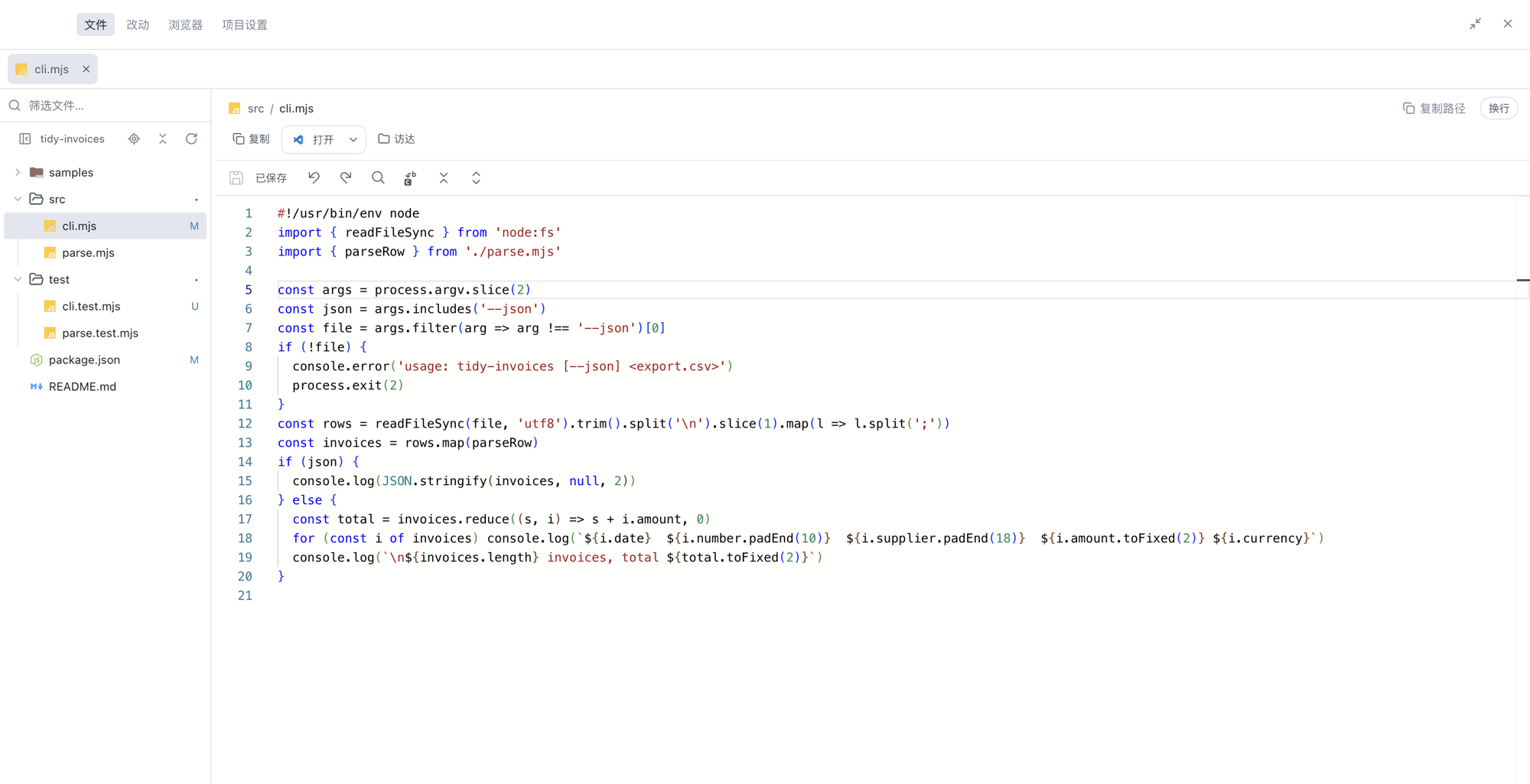
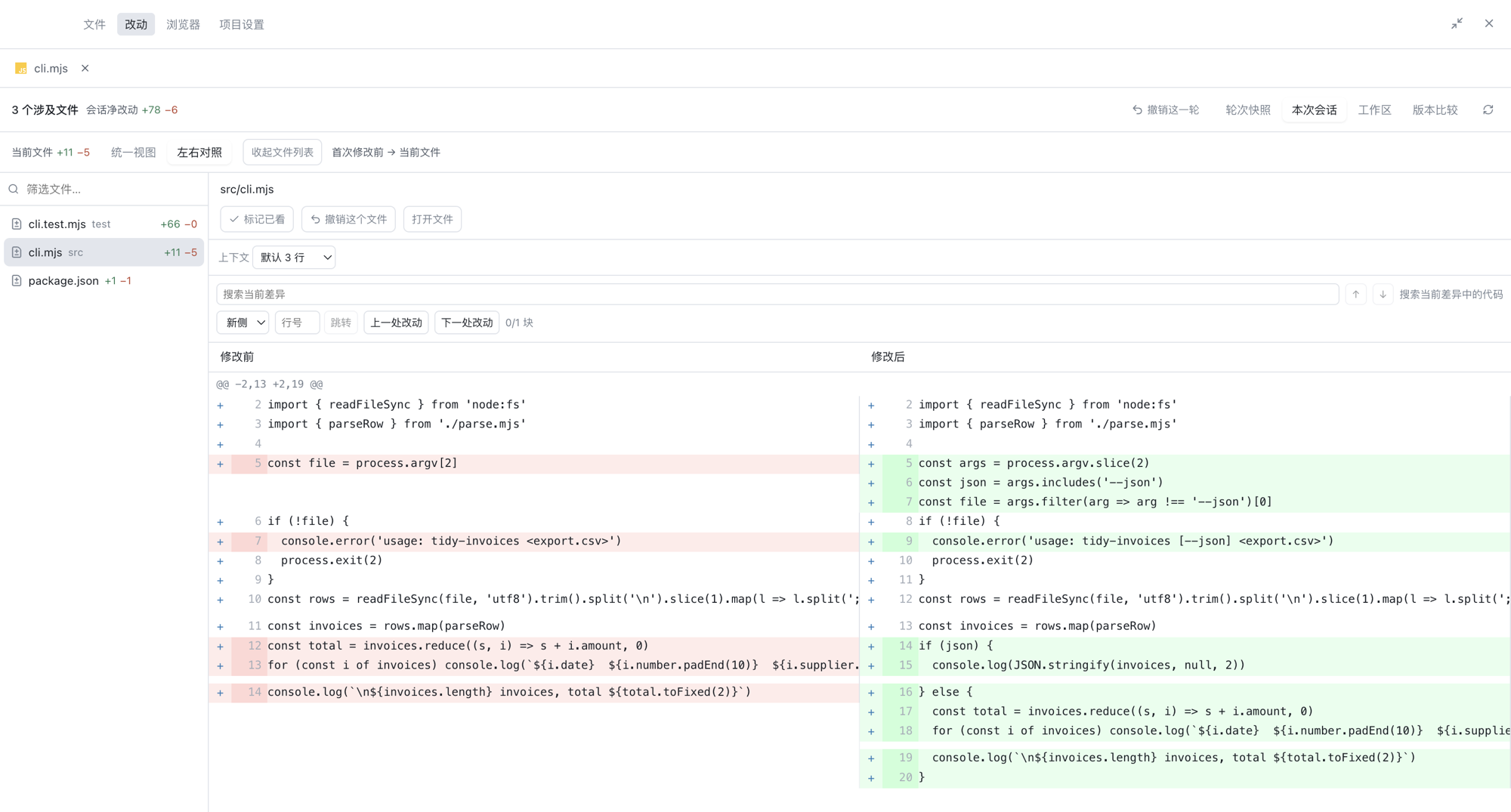
Every change, reviewed before you keep it.
Each turn ends with a receipt of what was touched. Read the diff unified or side by side, scoped to the last turn, the whole session, the working tree, or any two revisions, and take back what you do not want.
- Unified and side-by-side views with search and jump to change
- Undo a single file or a whole turn, including files git does not track
- Stage or restore individual hunks, then commit from the panel
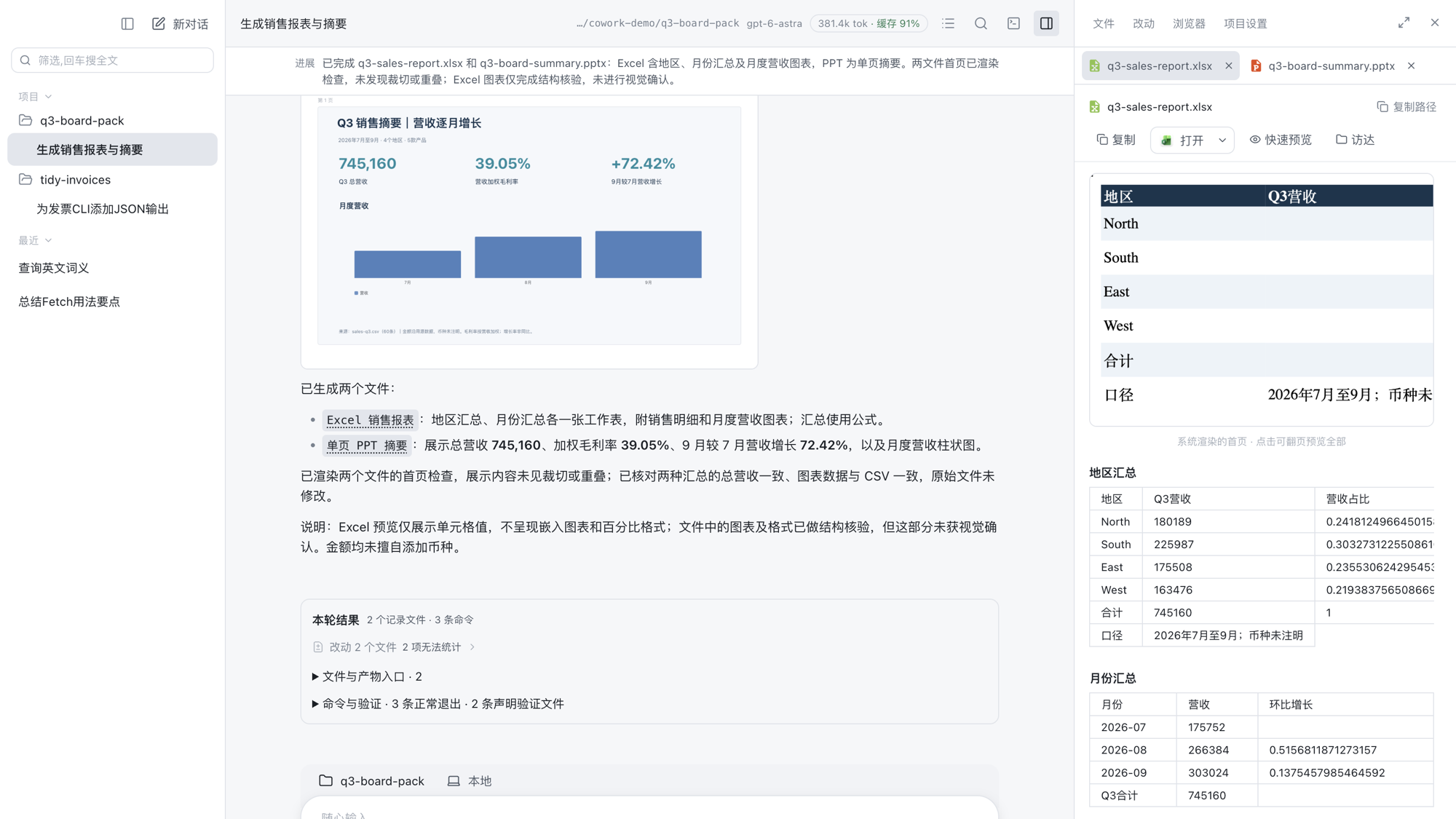
Real documents in, real documents out.
Hand it a spreadsheet, a report, or a deck and it edits the real file, keeping formulas, merged cells, and styles. It generates Word, Excel, and PowerPoint as Office Open XML with no Office install, then renders the first page to check its own work. The result opens in the side panel, next to the conversation that made it.
- Reads .docx, .xlsx, .pptx, the older .doc, .xls, .ppt, and PDF
- Writes .docx, .xlsx, .pptx, edits existing decks, and self-checks a render
- Previews documents, sheets, slides, PDF, CSV, Markdown, and images in place
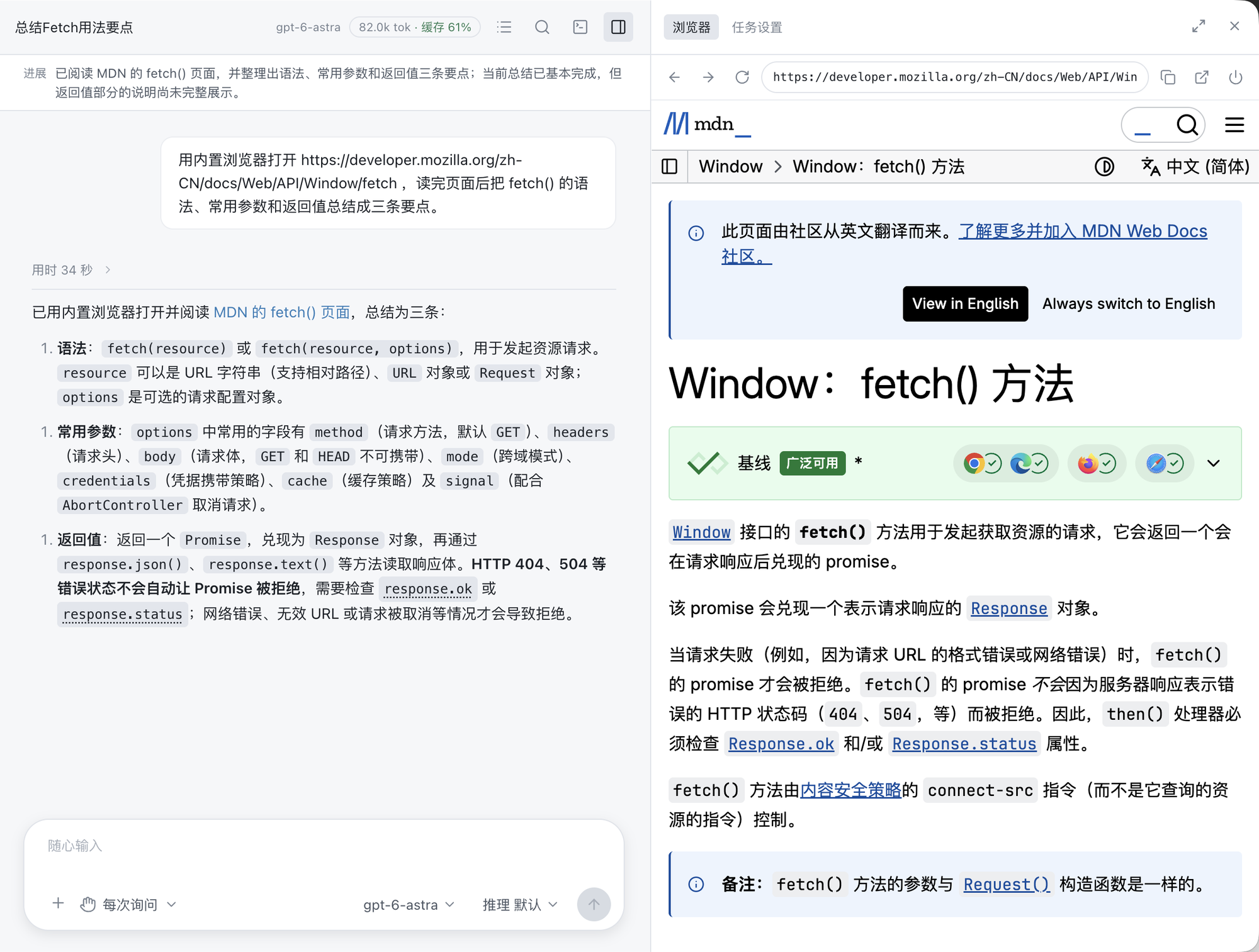
A browser it drives, side by side with the conversation.
An embedded browser is driven through the accessibility tree by role and name, not brittle pixel coordinates. The page stays open next to the transcript, so you see what it read and what it concluded.
- Elements addressed by role and name
- Tools a page declares are picked up automatically
- The same approach reaches your other apps
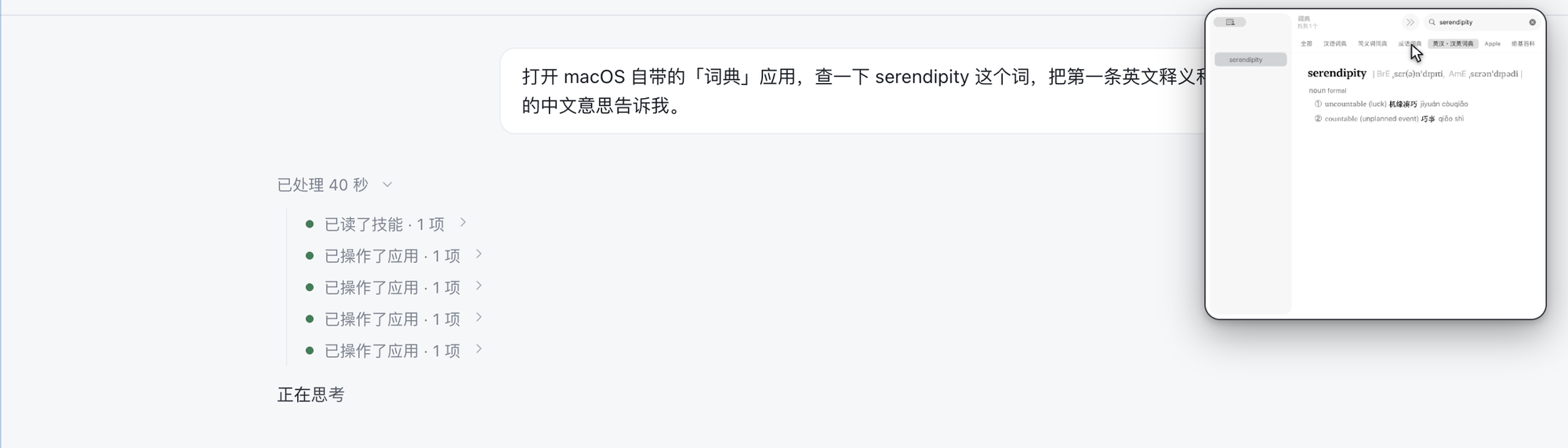
Your other apps, with a picture-in-picture of what it touches.
It reads an app's accessibility tree and acts in the background where it can. A live thumbnail shows the window it is driving, with the cursor it is about to use.
Per-app authorization
It asks before touching an app, and the grant lasts for the session.
Background first
Clicks and text go through the accessibility interface when possible, without stealing your mouse.
Honest when it cannot see
When a window will not expose its elements, it says so instead of guessing.
Four tasks, start to finish.
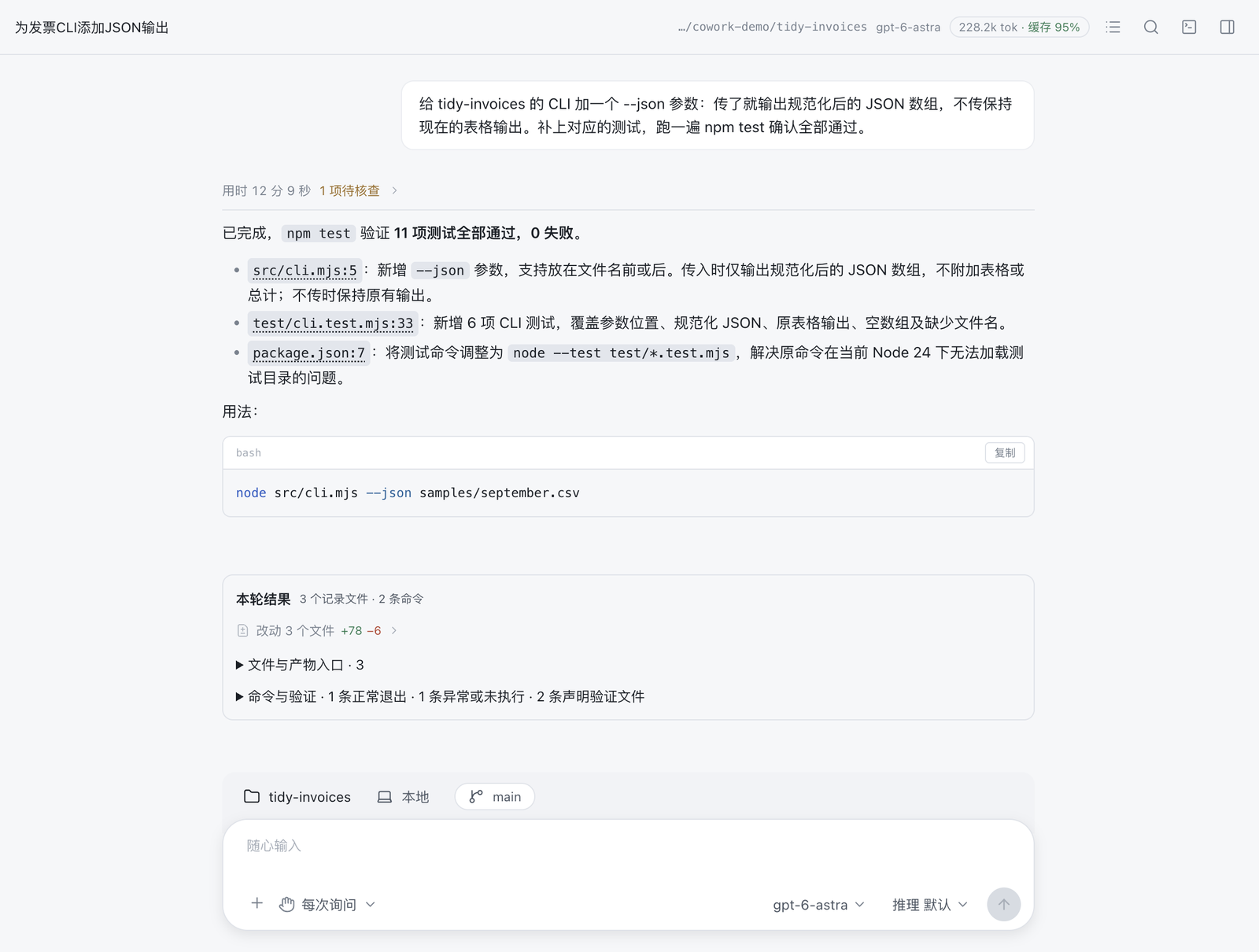
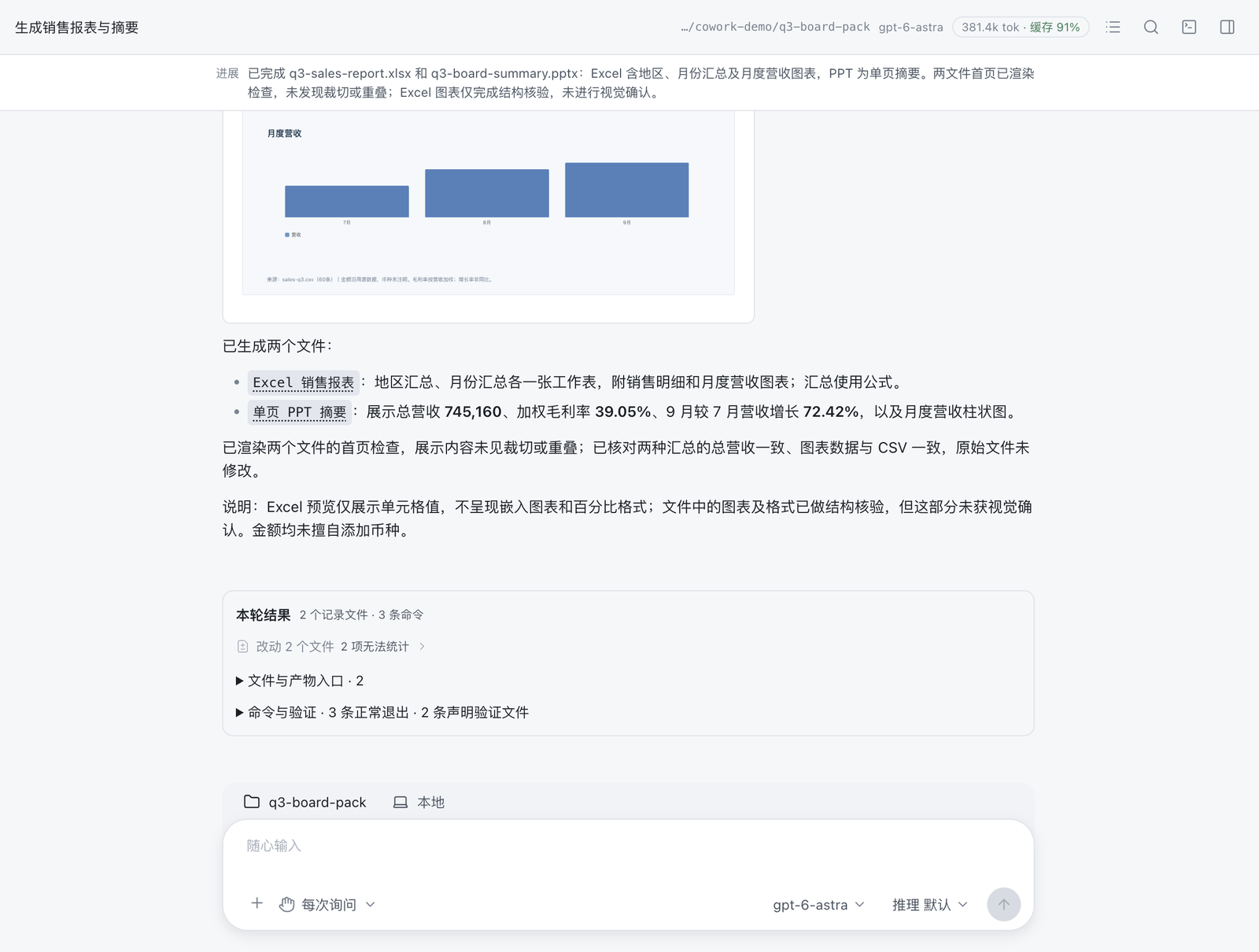
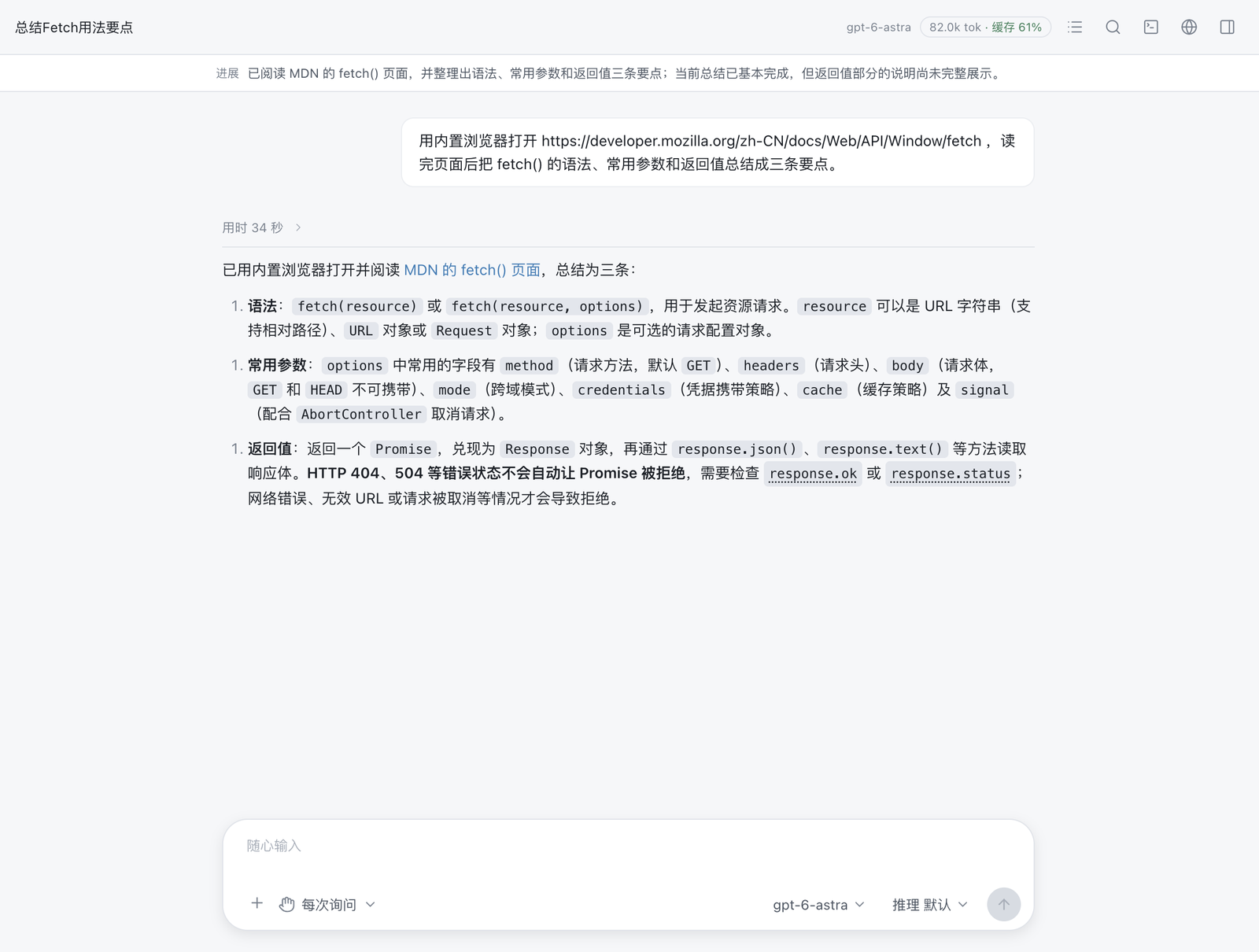
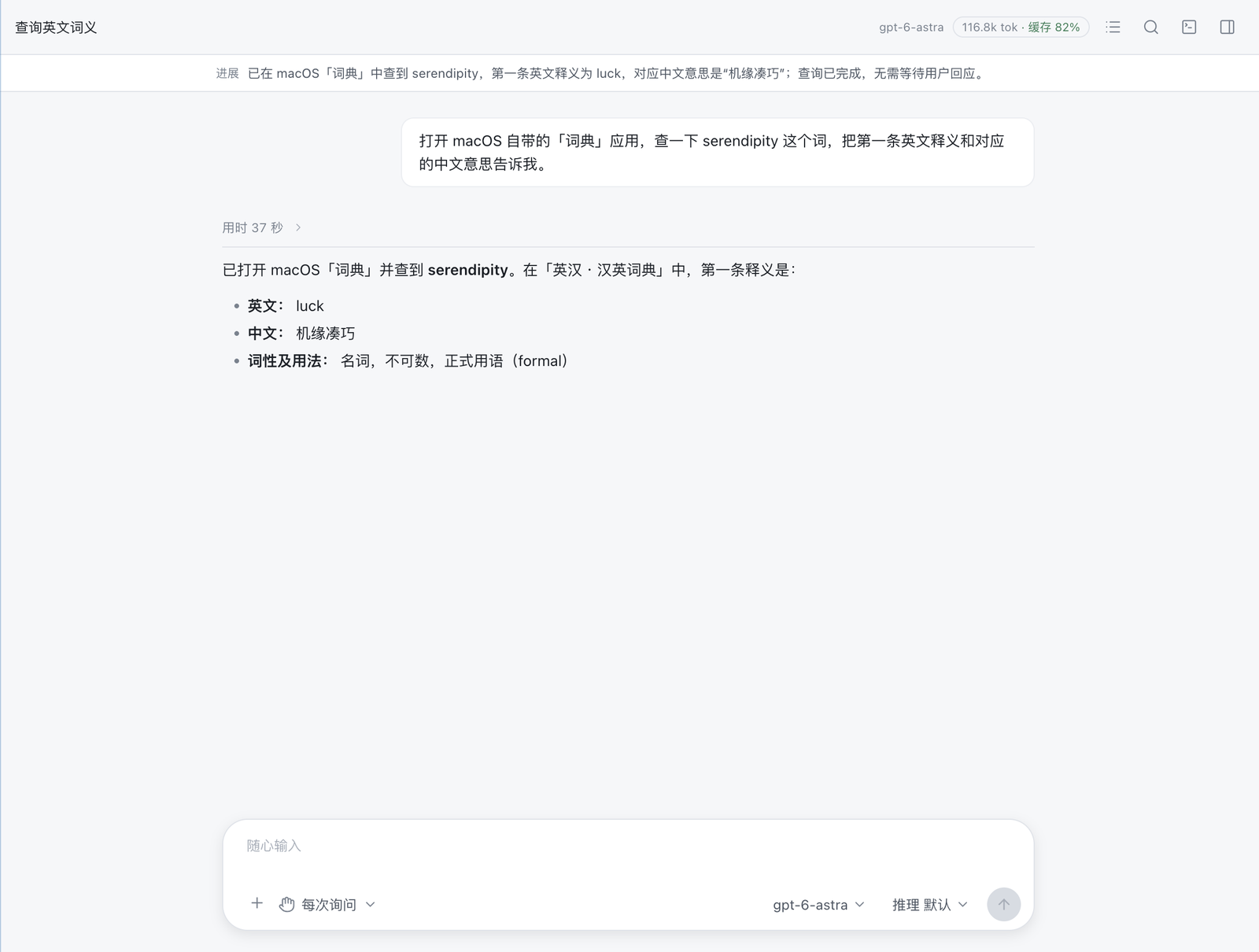
Built to run long tasks, not just answer.
The loop is designed so a long job does not drown its own context, and so you can see what it changed.
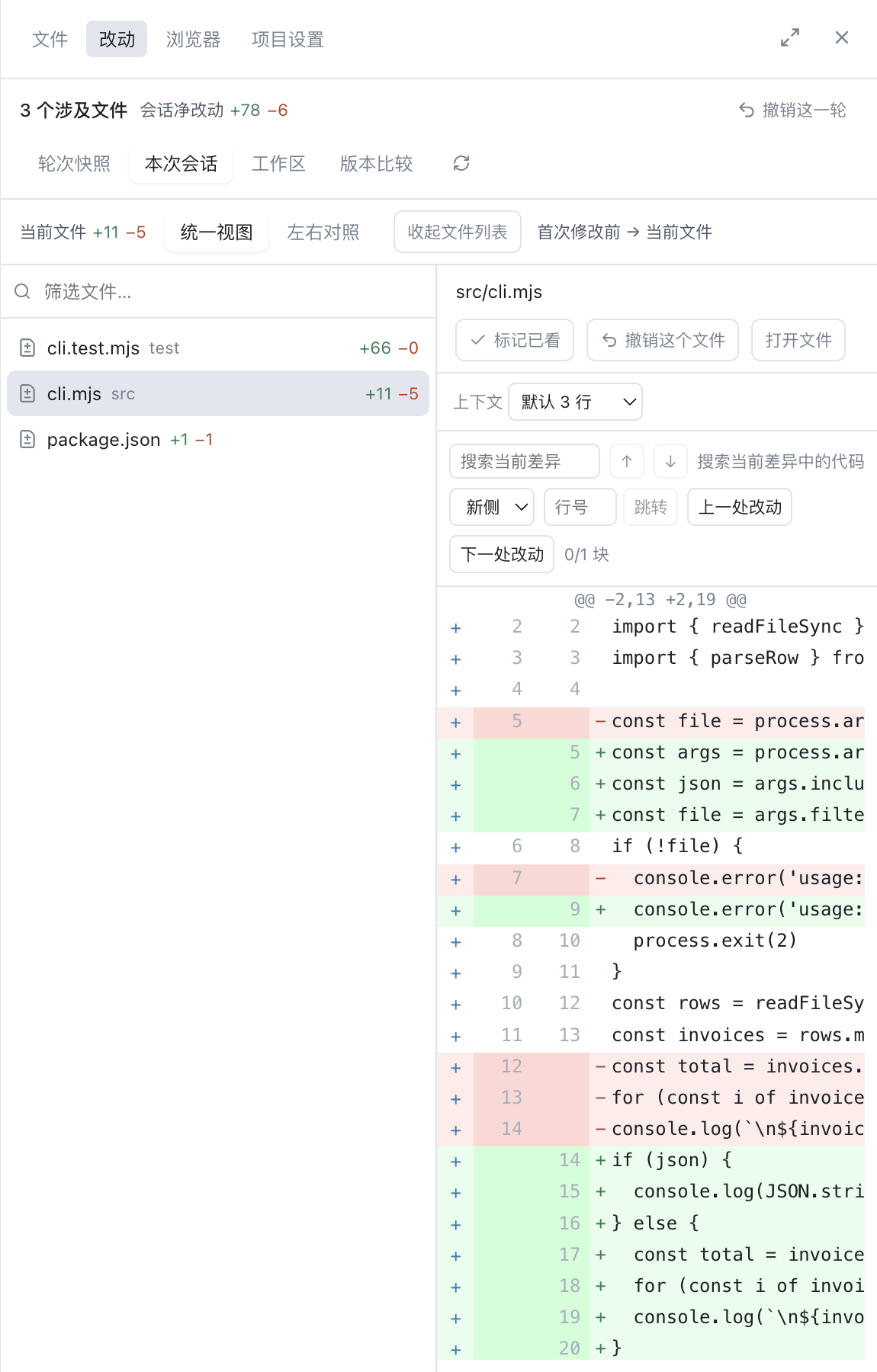
Per-file review
Diffs, a change receipt, and undo per file.
Context that lasts
Compaction past 80 percent of the window, pairing-safe, with originals archived. A background recap keeps a long run legible.
Code Mode
For read-heavy work it writes a small program to orchestrate tools. Only what it prints enters the context.
const files = await glob('src/**/*.ts')
for (const f of files) scan(f)
print(summary)   // only this returns
Parallel and delegated
Independent tool calls run at once; sub-agents take isolated side quests and return only the conclusion.
Project memory, skills, MCP
It learns your conventions across sessions. Agent Skills and Model Context Protocol servers extend what it can do.
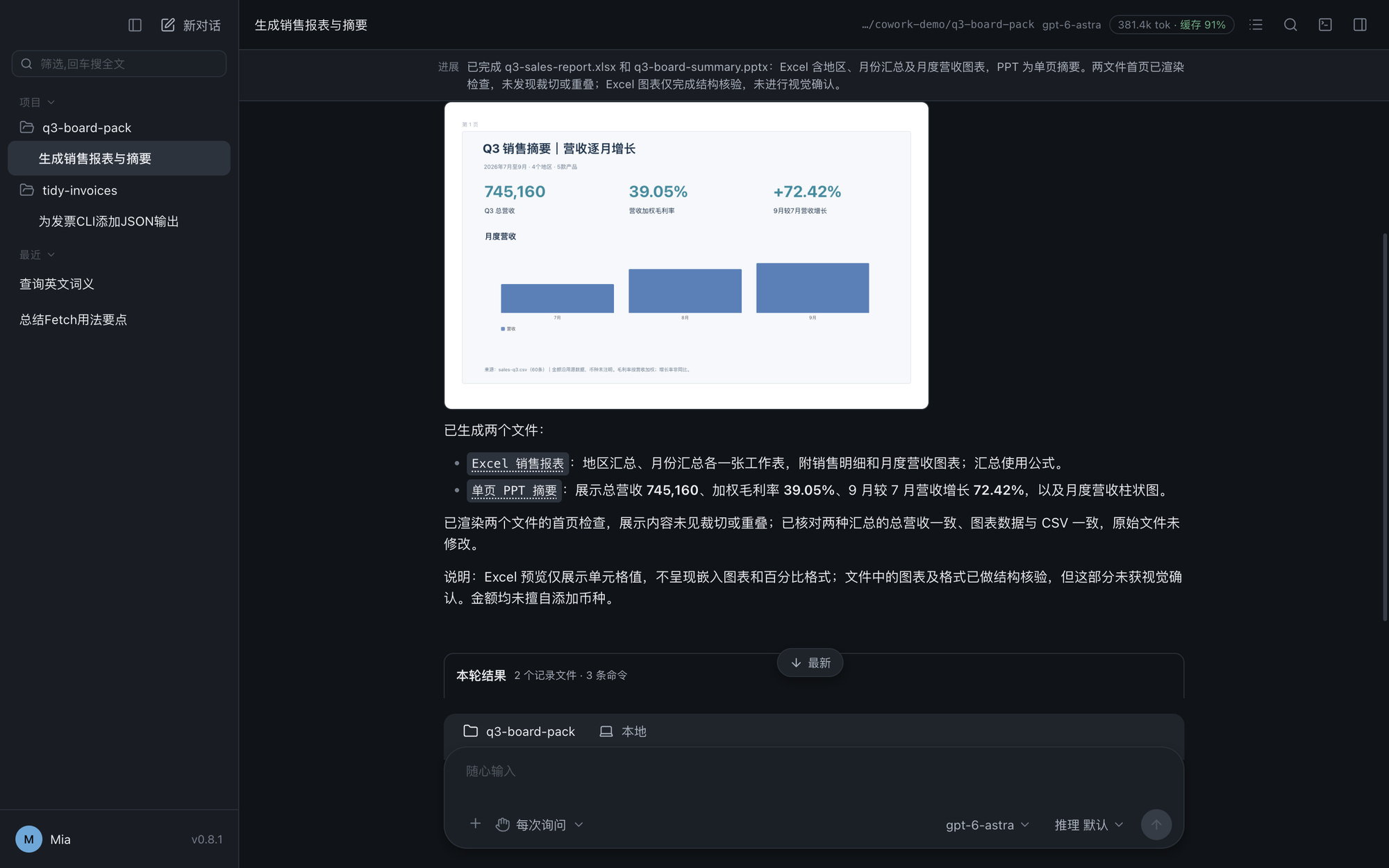
Light, dark, and three more themes
A high-density desktop tool that follows your system.
Your model. Your destination.
Connect a compatible local model for local inference, or choose a cloud service when you need it. Cowork sends model requests to the endpoint you configure. Cloud services receive the prompts, context and attachments needed for those requests and may charge separately.
Make your computer your AI workspace.
Free to use. Keep your work locally, choose your model, and configure the access you grant.